Plot a candlestick chart
Overview
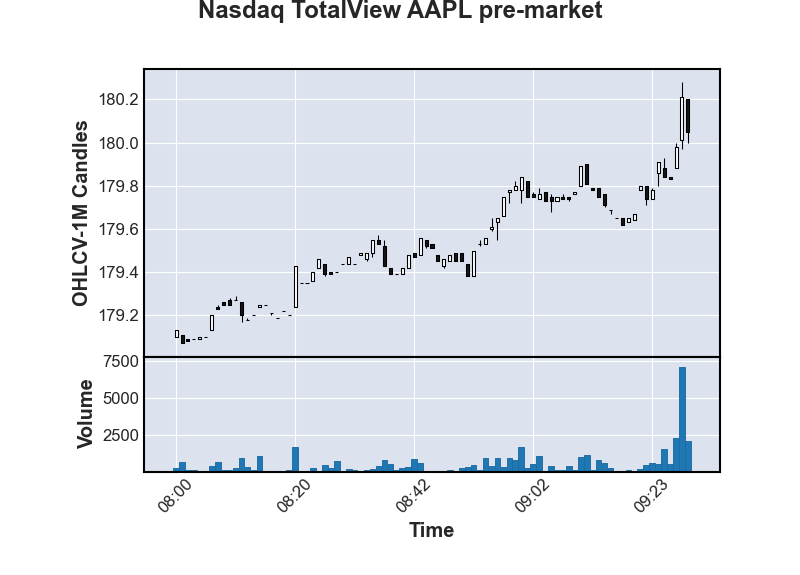
In this example we will use the Historical client to retrieve AAPL pre-market one-minute OHLCV bars and plot a candlestick chart. A candlestick chart graphs the opening, high, low, and closing price at regular intervals. This is a common method for graphing price movements.
OHLCV-1m schema
We'll demonstrate this example using the OHLCV-1m schema. The OHLCV family of schemas contain the opening, high, low and closing prices as well as the aggregated volume of trades within a time interval. We'll use an interval of one minute, a typical charting frequency, which is specified by the suffix -1m.
Dependencies
This example will use the mplfinance package to plot a candlestick chart. This dependency can be installed with the following:
1
$ pip install mplfinance
Example
1
2
3
4
5
6
7
8
9
10
11
12
13
14
15
16
17
18
19
20
21
22
23
24
25
26
27
28
29
30
31
import databento as db
import mplfinance as mpf

# First, create a historical client
client = db.Historical(key="$YOUR_API_KEY")

# Next, we will request OHLCV-1m data for AAPL pre-market
data = client.timeseries.get_range(
    dataset="XNAS.ITCH",
    schema="ohlcv-1m",
    symbols=["AAPL"],
    start="2023-08-28T08:00:00-4",
    end="2023-08-28T09:30:00-4",
)

# Then, convert to a pandas DataFrame
df = data.to_df()

# Convert the index to the US/Eastern timezone
df.index = df.index.tz_convert("US/Eastern")

# Finally, plot the candlestick chart
mpf.plot(
    df,
    type="candle",
    volume=True,
    title="Nasdaq TotalView AAPL pre-market",
    ylabel="OHLCV-1M Candles",
    ylabel_lower="Volume",
    xlabel="Time",
)
Result